Ok, imagine this: you're scrolling through Instagram (we've all been there), and you see a post from a "friend" – except their account is suddenly posting links to REALLY sketchy websites. Like, "Win a Free iPhone!" sketchy. My first thought? "Oh no, not again!" Someone's definitely been hacked, or worse, their phone's got some unwanted hitchhikers.
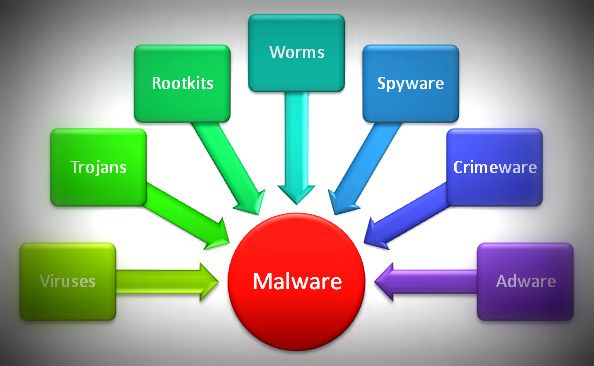
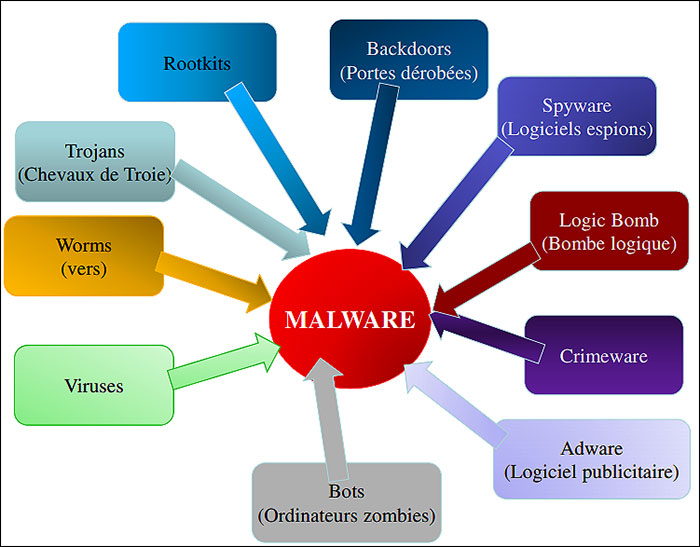
That unwanted hitchhiker? Yeah, that's malware. And surprise, surprise, it comes in all shapes and sizes, ready to ruin your day (and potentially your entire digital life!). Today, we're diving into two broad categories of these digital pests: Virus and Worms. Think of them as the classic rock bands of the malware world; they've been around a while, but they're still surprisingly effective.
Viruses: The Parasitic Code
Let's start with the Virus. The name is quite fitting, isn't it? Like a biological virus, a computer virus needs a host to survive and replicate. It can't just exist on its own, chilling on your hard drive. No, no. It's far more… clingy.
How Viruses Work: A Love Story (Gone Wrong)
Imagine a virus as a tiny, digital parasite looking for a warm body to inhabit.
- Infection: The virus attaches itself to an executable file (like a .exe program on Windows) or a document (like a .doc or .pdf). Think of it as slipping a coded message into your otherwise perfectly innocent document.
- Activation: You, unknowingly, open the infected file. Maybe it's a program you downloaded, or a document emailed to you. Bam! The virus activates. This is where things get interesting... and by "interesting," I mean terrible.
- Replication: The virus starts replicating itself. It copies its code and spreads to other files on your computer. It's like a digital photocopy machine gone wild.
- Payload: Once enough copies are made, the virus unleashes its payload. This could be anything from displaying annoying messages and slowing down your computer to deleting files and stealing your personal information. (Yeah, not fun).
Basically, a virus is a freeloader that needs you to accidentally execute its code for it to do its dirty work. So, next time you click "run" on that random program you found on a shady website, think twice. You might be inviting a whole lot of trouble into your digital home.

Oh, and here's a fun fact: a virus requires user intervention. You need to run something, open something, or click something for it to activate and spread. That's a key distinction we'll revisit later.
Worms: The Independent Operators
Now, let's talk about Worms. These are a whole different breed of malware. Unlike viruses, worms are independent. They don't need to attach themselves to a host file. They can replicate and spread all by themselves. Think of them as the lone wolves of the malware world – self-sufficient and highly motivated to cause chaos.

How Worms Work: A Digital Autopilot
Worms are all about automation. Their mission? To spread as quickly and widely as possible, without you even lifting a finger (well, almost).
- Entry: A worm typically enters your system through a network vulnerability, a security hole in your operating system, or even via email (think malicious attachments or links). Patch your software regularly, folks! Seriously!
- Replication: Once inside, the worm replicates itself. But instead of infecting local files like a virus, it spreads across the network. It uses network protocols (like email or file sharing) to send copies of itself to other computers.
- Propagation: The worm actively seeks out vulnerable systems to infect. It might scan your network for computers with outdated software or weak passwords. It’s a persistent little bugger.
- Payload: Like viruses, worms can carry a payload. This could involve stealing data, installing backdoors (allowing remote access to your system), or using your computer to launch attacks on other networks.
The scary thing about worms is their ability to spread rapidly. A single worm can infect thousands, even millions, of computers in a very short time. Remember the WannaCry ransomware attack? That was largely driven by a worm component that allowed it to spread like wildfire. (Shivers down my spine just thinking about it).

Viruses vs. Worms: The Showdown!
Okay, let's recap the key differences between these two malware titans:
- Host Requirement:
- Viruses: Require a host file (like a program or document) to infect. They need you to run something for them to activate.
- Worms: Independent. They don't need a host. They can replicate and spread on their own.
- Spread Mechanism:
- Viruses: Spread through infected files that are shared or executed.
- Worms: Spread through networks, exploiting vulnerabilities or using automated methods like email.
- User Interaction:
- Viruses: Require user interaction (e.g., running an infected program).
- Worms: Can spread without user interaction (after initial entry).
Think of it this way: a virus is like a stowaway on a ship (the program). It needs the ship (the program) to sail (be executed) to get anywhere. A worm, on the other hand, is the ship. It builds itself and sails on its own, going from port to port (computer to computer) without needing anyone's permission. Pretty dramatic, right?
So, What Can You Do? (The Important Part!)
Okay, all this talk about malware can be a bit scary. But don't despair! There are plenty of things you can do to protect yourself:
- Keep your software up to date: This includes your operating system, web browser, antivirus software, and any other programs you use. Seriously, enable automatic updates! It's a lifesaver!
- Use a reputable antivirus program: A good antivirus program can detect and remove malware before it has a chance to do any damage. Make sure it's actually reputable though, some "antivirus" programs are just malware in disguise!
- Be careful what you click: Don't click on links or open attachments from unknown sources. Even if the email looks like it's from someone you know, be wary of anything that seems suspicious. When in doubt, delete it!
- Use strong passwords: Use a different, strong password for each of your accounts. Consider using a password manager to help you keep track of them. "Password123" doesn't cut it, folks!
- Be wary of phishing scams: Phishing scams are designed to trick you into giving up your personal information. Be careful of emails or websites that ask for your password, credit card number, or other sensitive information.
- Use a firewall: A firewall can help to block unauthorized access to your computer.
- Back up your data: Regularly back up your important data to an external hard drive or cloud storage service. That way, if your computer is infected with malware, you can restore your data without losing everything. Trust me, future you will thank you!
Final Thoughts
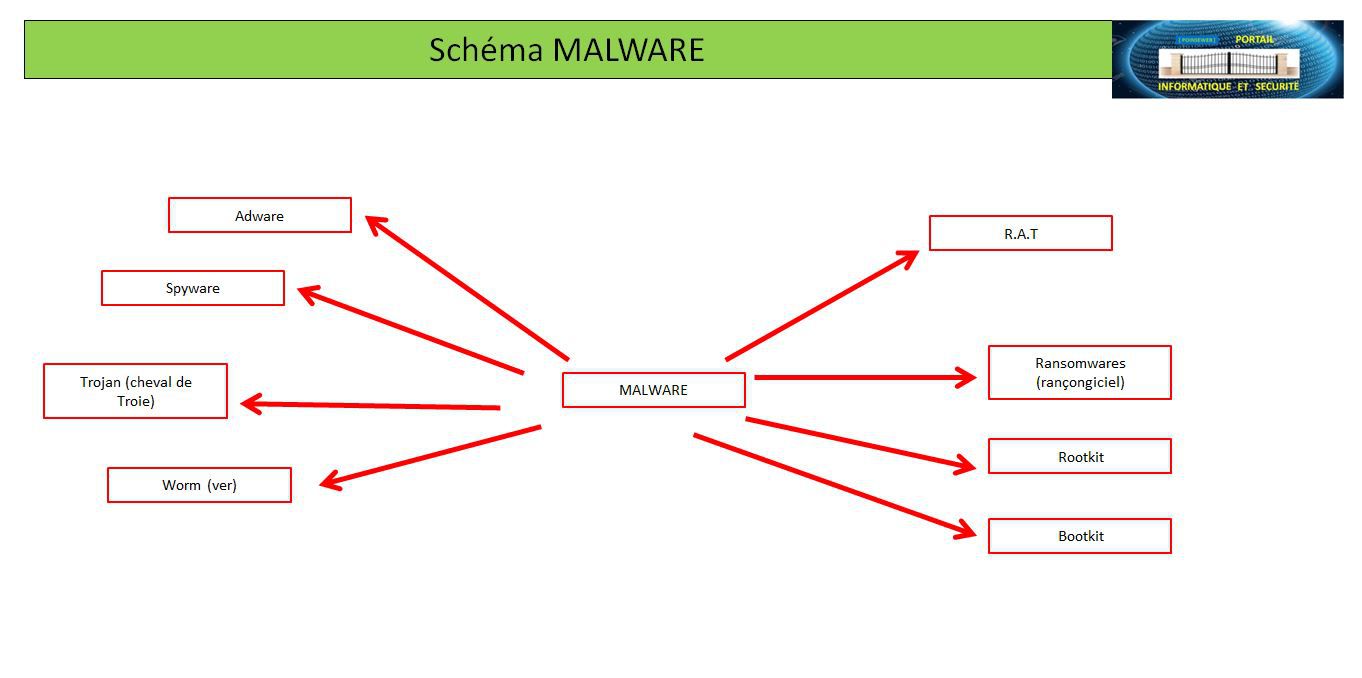
Viruses and worms are just two of the many types of malware out there. Understanding how they work and how to protect yourself is essential in today's digital world. Stay vigilant, stay informed, and stay safe out there in the wild, wild web!
And remember, even the most sophisticated security measures aren't foolproof. The best defense is always a healthy dose of common sense. Happy surfing!